| 30th Jan 1999
|
Introduction to Database Development: Part 5More on Queries |
|
|
Other Sections: Queries (1) Queries (2)
|
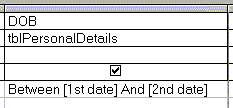
Parameter QueriesIn the previous example a subset of records were selected by using the criteria: Between #01/01/70# And #31/12/72# in the DOB field. However, while this is a very useful technique there a likely to be many cases where a different range of dates are required; this would necessitate either setting up more very similar queries, which could be come confusing, or editing the existing query every time a different date criteria was required. One way to avoid this problem is to prompt the user to enter the date criteria every time the query is run. For this we use a parameter query. The criteria is changed to: Between [1st date] And [2nd date].
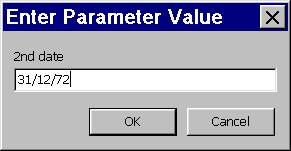
Prompting the UserThis time when the
The date is entered in d/m/yy format.
When the OK button is clicked or the user presses the Enter key the second parameter value is requested.
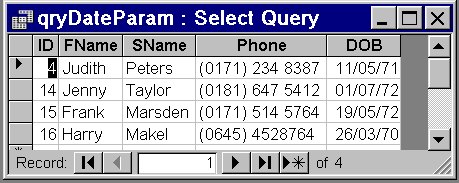
When the second value is processed the result is a set of 4 record from the original 8 (see below).
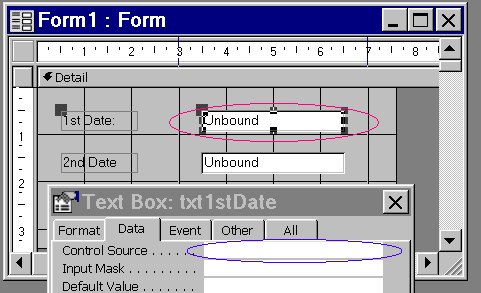
While the parameter query is an improvement on requiring the user to modify queries it none the less has many drawbacks when used like this. For example it can become confusing where several criteria are required, also if the user makes a mistake he/she cannot change a parameter value once the OK button has been clicked. Using Forms with Parmeter QueriesA form can provide a User Interface to a parameter query.
|
Developer Links
|
 the user is prompted to enter a value.
 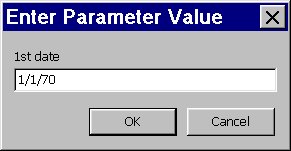 Note how the text between the square brackets is now the prompt
for the user i.e. 1st date.
Note how the text between the square brackets is now the prompt
for the user i.e. 1st date.